Sea-saW Fish Auction App

UX/UI Design

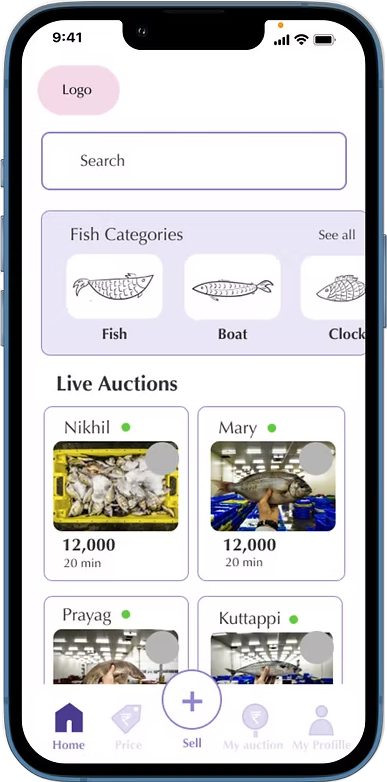
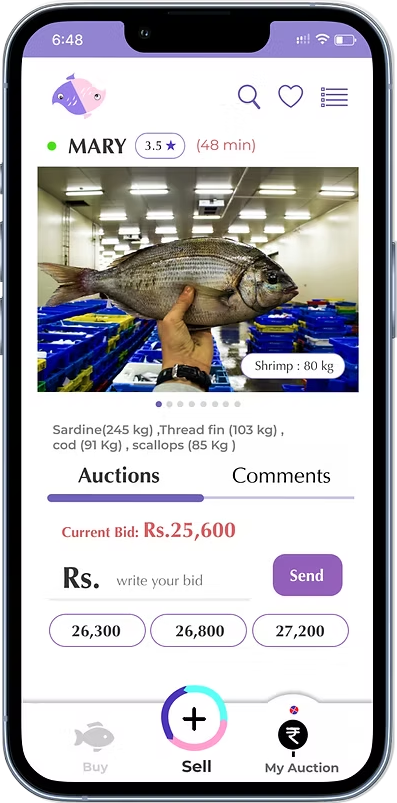
Sea-saW Fish Auction App Hero Image
Bert Labs Website Mockup

Project Overview

SeaSaw Logo

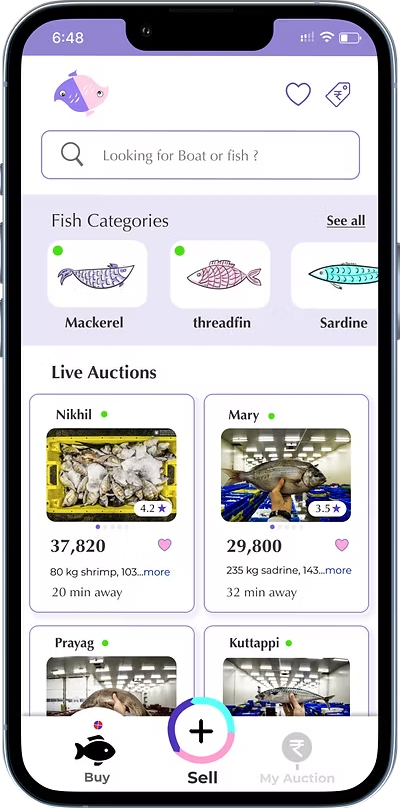
Sea-Saw is a trawling auction app that acts as an auctioneer, connecting fishermen and bidders for the daily fish trade.

My role:
UX/UI Designer
Tools used:
Figma, Adobe illustrator, Adobe photoshop, Procreate
What I did ?
User Research, Information Architecture, Usability Study,Sketches, Clickable Prototype, Design Language

The problem:

How can we streamline the fishing auction to save business time?

The Background

The Ayikkara port is still conducting auctions in the traditional manner. They have numerous chances to save time and effort, and there is also a chance that their businesses will improve and be more successful than they are today.

The Industry

The same traditional procedure is being followed for fishing auction operations throughout the state.From a technological perspective, this industry is comparatively unexplored.

The 5 W's of Sea-saW:

Who: The target audience is Sellers, buyers, and all other enthusiasts in the trawling industry.

What: A mobile application focused on the trawling auction business to sell and buy fish.

When: This programme is designed to be used 24/7. Every boat can put its catch up for auction when it has finished its trawling and has returned to land. When the boat reaches land, the auction will be over.

Where: While on their way back to land, sellers can place the auction using the app. Purchases can be made anywhere by anyone who has registered. do not have to be on the coast.

Why: Due to the offline auction's area restriction, more people can participate in online auctions, and if you wait another hour for the auction after the boat has arrived, the fish can lose some of its quality. Bidders find it challenging since they must wait for the boats to approach the shore for a long period of time every day, in a range of weather conditions.

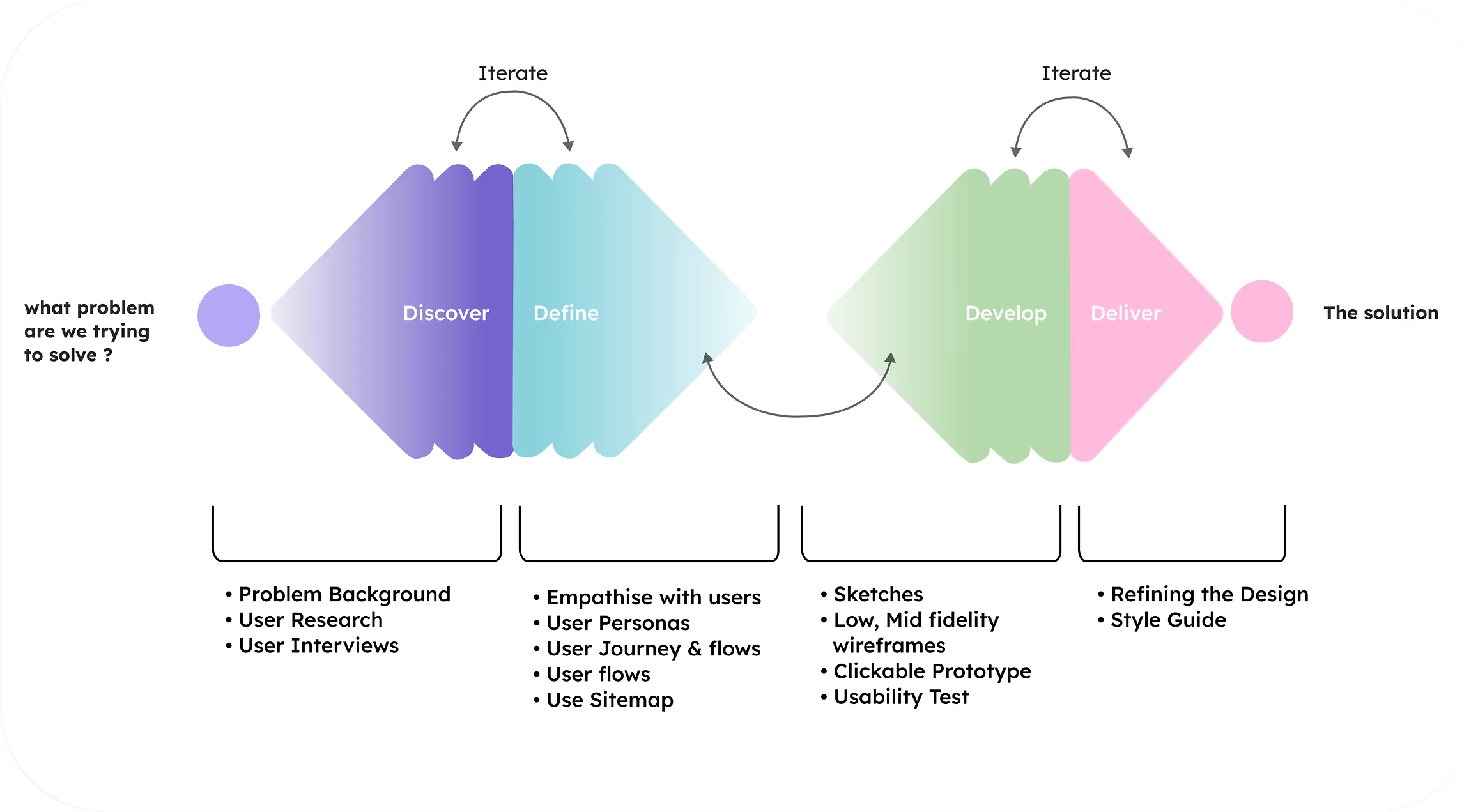
For working on Sea-saW, I have used the Double Diamond strategy, which divides the design process into four stages: Discover, Define, Deliver & Develop.
Sitemap After open card sort

Discover

Idea of the Sea-saW app:

During my documentation on trawling at Ayikkara port, I realised the pressing need for an app to streamline their daily auction business and alleviate their challenges. This realisation served as the catalyst for creating the innovative Sea-saW app, which might become a valuable asset to the fishing community by simplifying their operations and fostering efficiency.

User Research:

Understanding users & their needs

I spent one week getting to know the users and their requirements. I often spent my entire day on the boat, interviewed the workers, and documented the process. Other days I visited the harbour and conducted interviews with people there. I remained vigilant about the port auctions. Throughout the procedure, I retained ethnographic journals.
I understood that Sea-SaW has three types of users.

  • The trawlers or sellers who put the fish up for auction after concluding their daily fishing
  • Participants (bidders) in the auction who purchase the fish
  • Visiting enthusiasts who take an interest in the quantity, quality, and variety of fishing in the port

From user interviews:

How will users approach a new app system?

In order to better understand the needs and wishes of users as well as how they would approach the new system, I conducted interviews with more than seven people, all of whom had different perspectives on what and how they would approach this.

I was able to draw out some important insights after synthesising the data from the interviews into what consumers are Doing, Thinking, and Feeling.

  • Auctioneers agree that Sea-saW will increase the number of bidders in the daily auctions and believe they can provide better quality fish than usual because they are saving time.
  • Due to the crowd around the auction boat, many people are not able to actively participate in or see the bidding process, limiting active engagement.
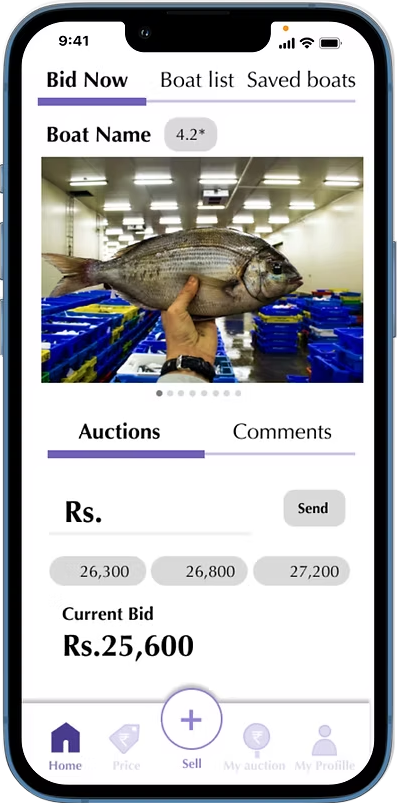
  • The ability to place multiple bids from any location at the same time pleases bidders. There is no need to stand on the shore waiting for the boats.
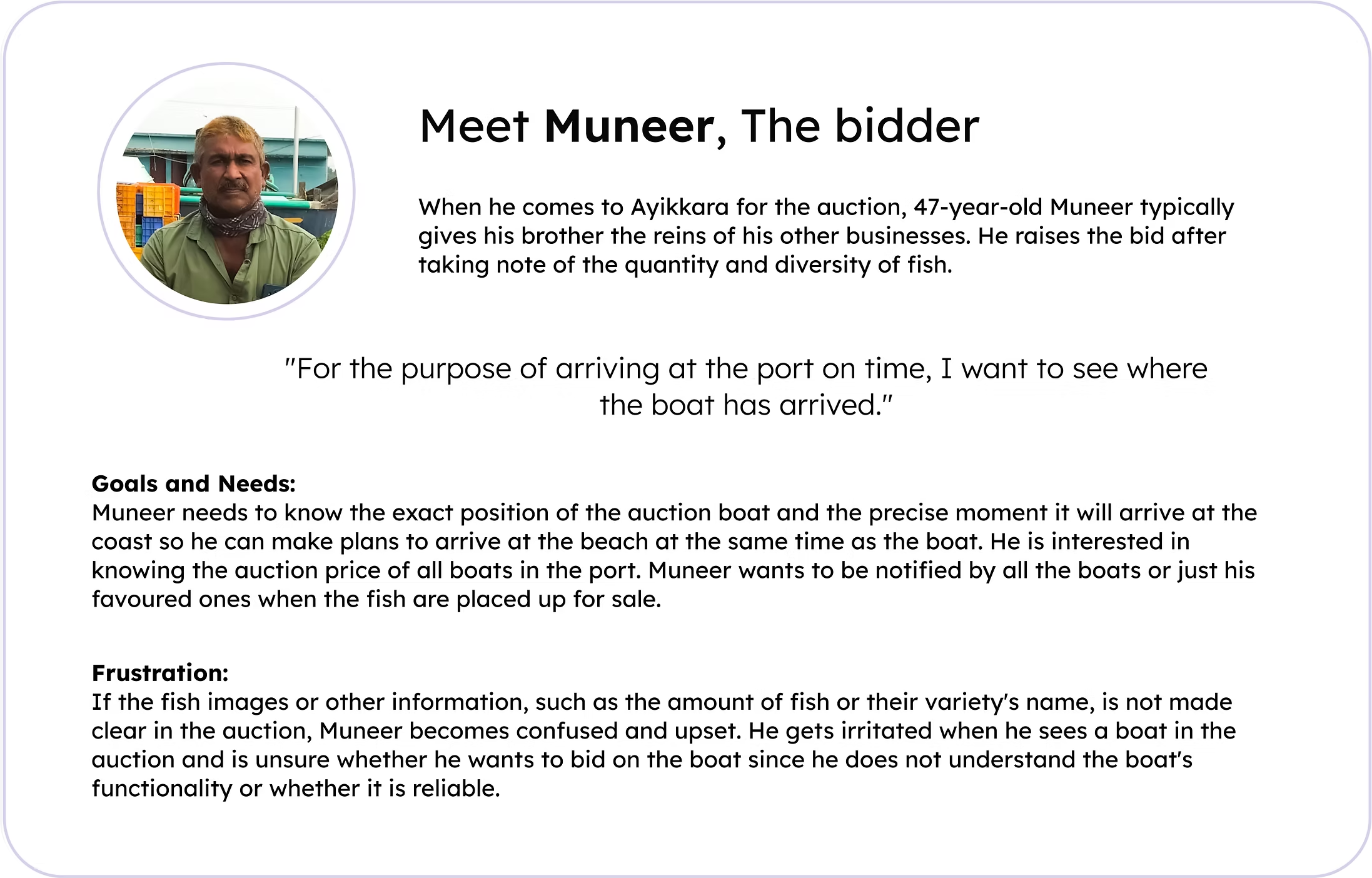
    Bidders want exact information on the boat's location and its arrival time.
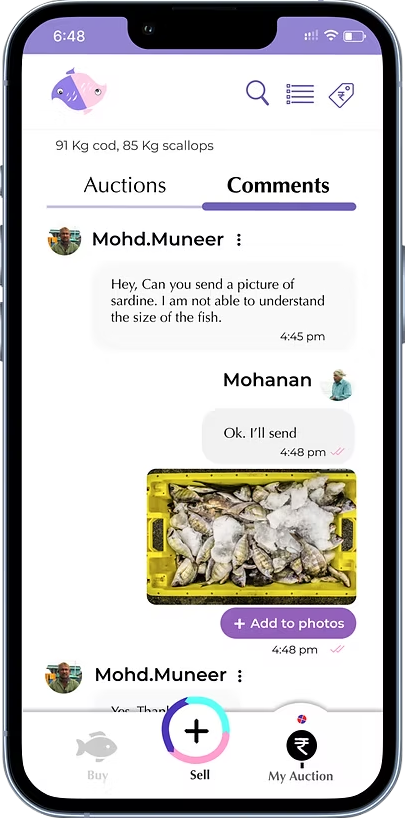
  • Participants in the online auction are concerned that they won't be able to comprehend the precise fish specifications from the auction, such as amount, size, etc.

From user research, I understood that every boat has a manager appointed by the owner who is confident enough to operate the phone, radar, and boat's legal procedures.

Define

Empathising with Sellers, bidders, and the auction audience

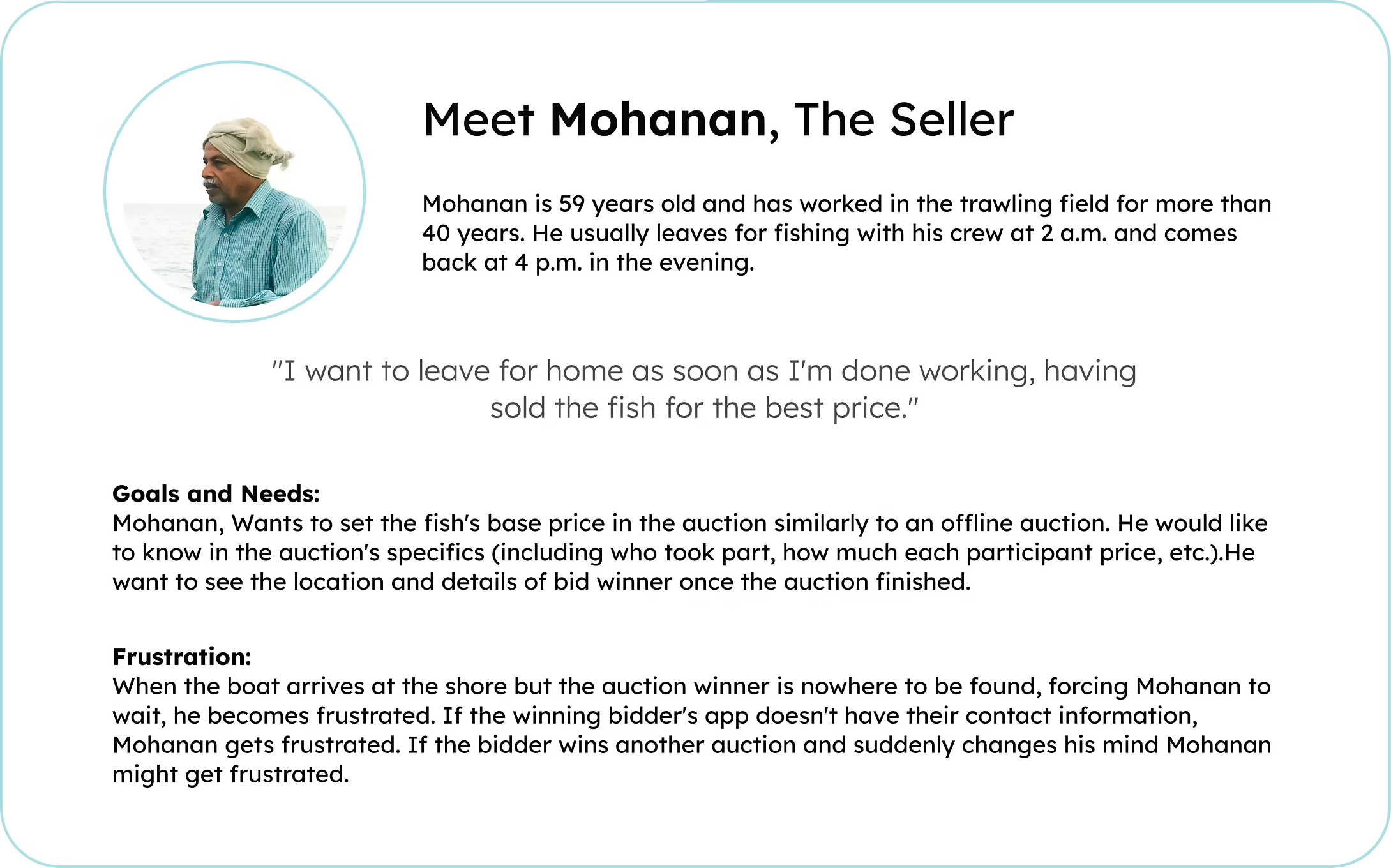
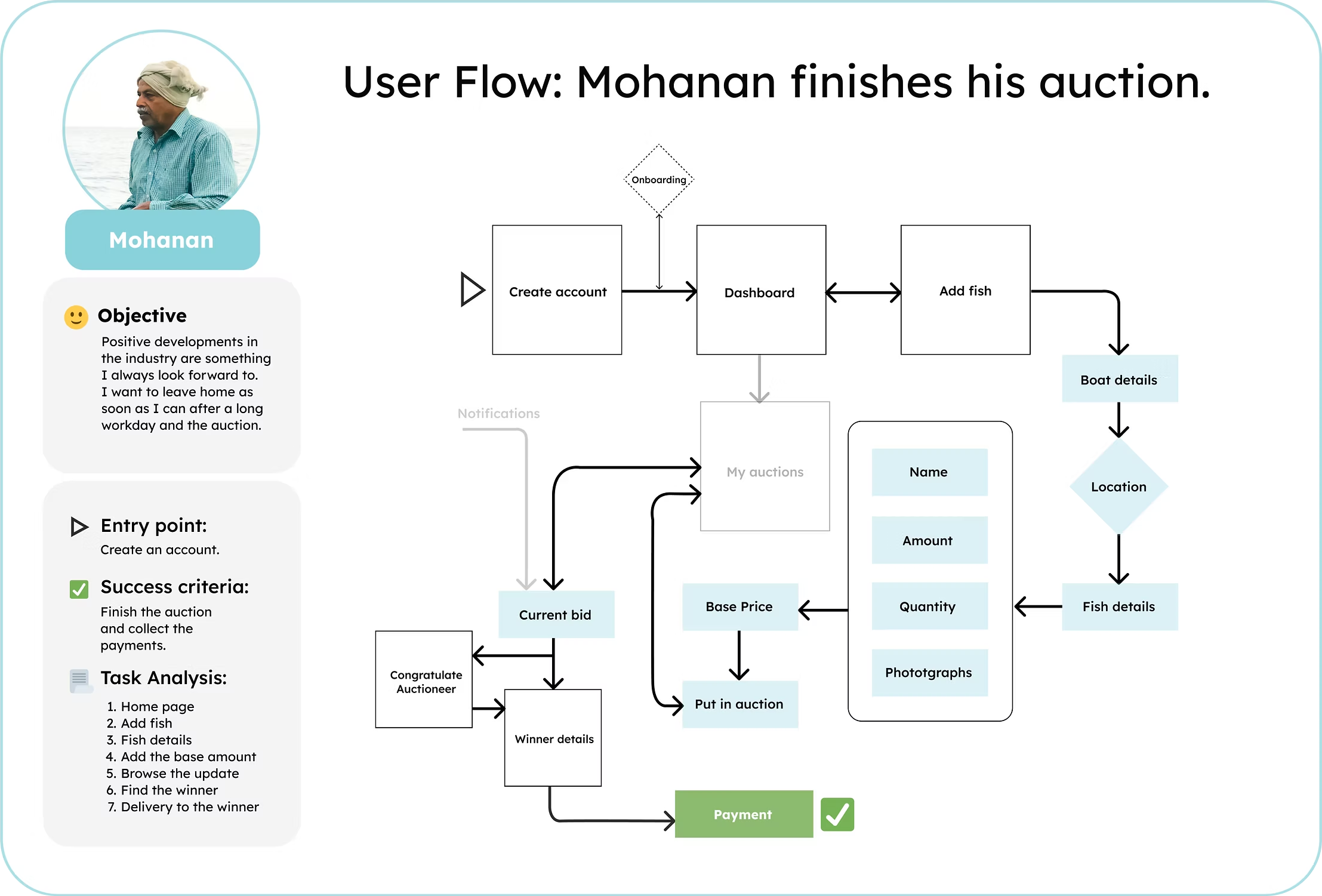
I began to focus the project's scope using the information from the interviews, developing user personas, User journeys, and User flows to make sure any subsequent design choices remained user-centric.

Sitemap After open card sort

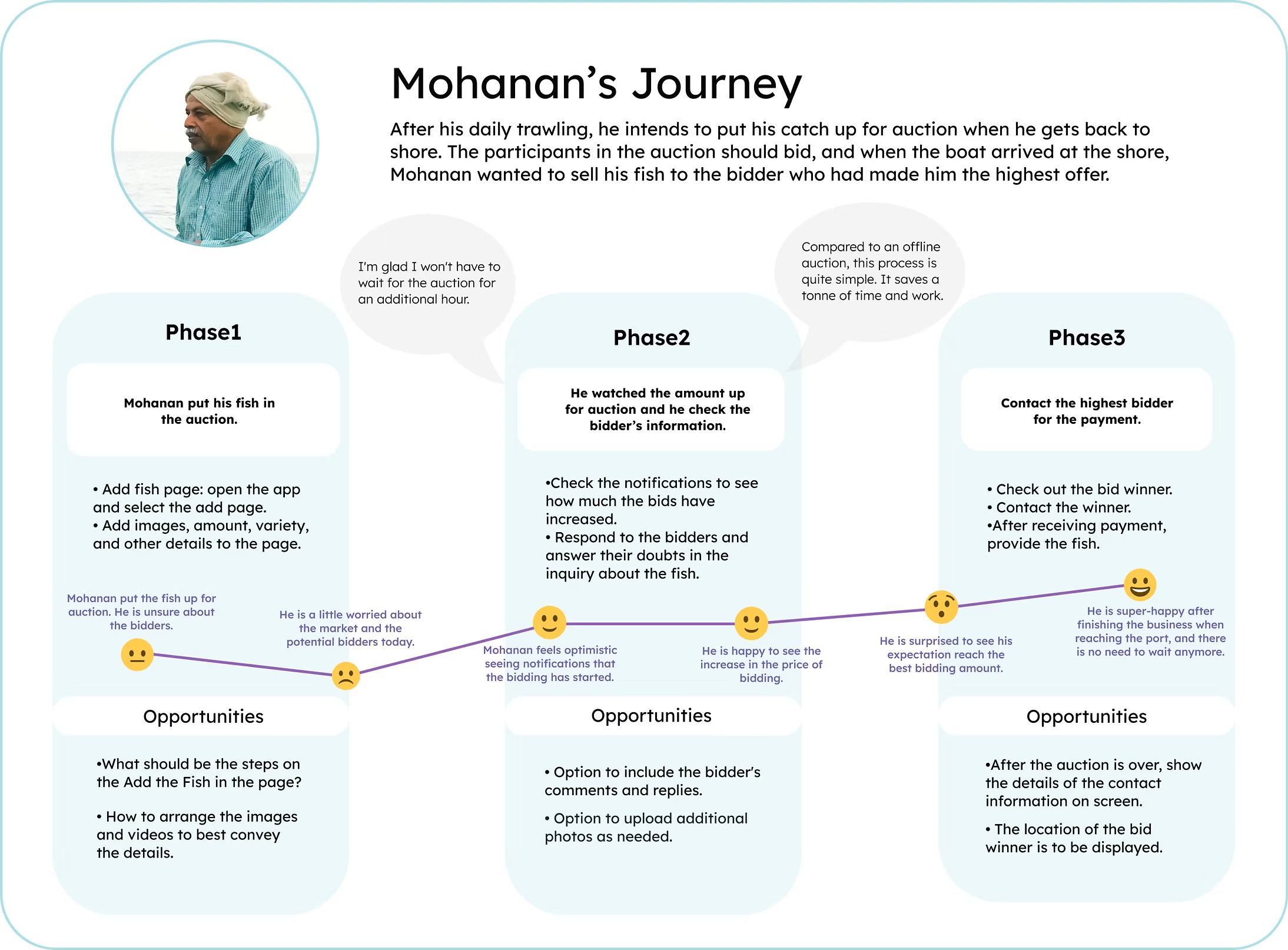
User Journeys:

What would Mohanan's experience with Sea-saW be?

I have developed User Journey Maps that describe the steps required to accomplish each persona's unique goals within the app, taking into account each persona's experience, attitudes, and goals. This gave me the chance to concentrate on any possible critical pain points and make plans for how to handle them in the ensuing design choices.

Structuring the content:
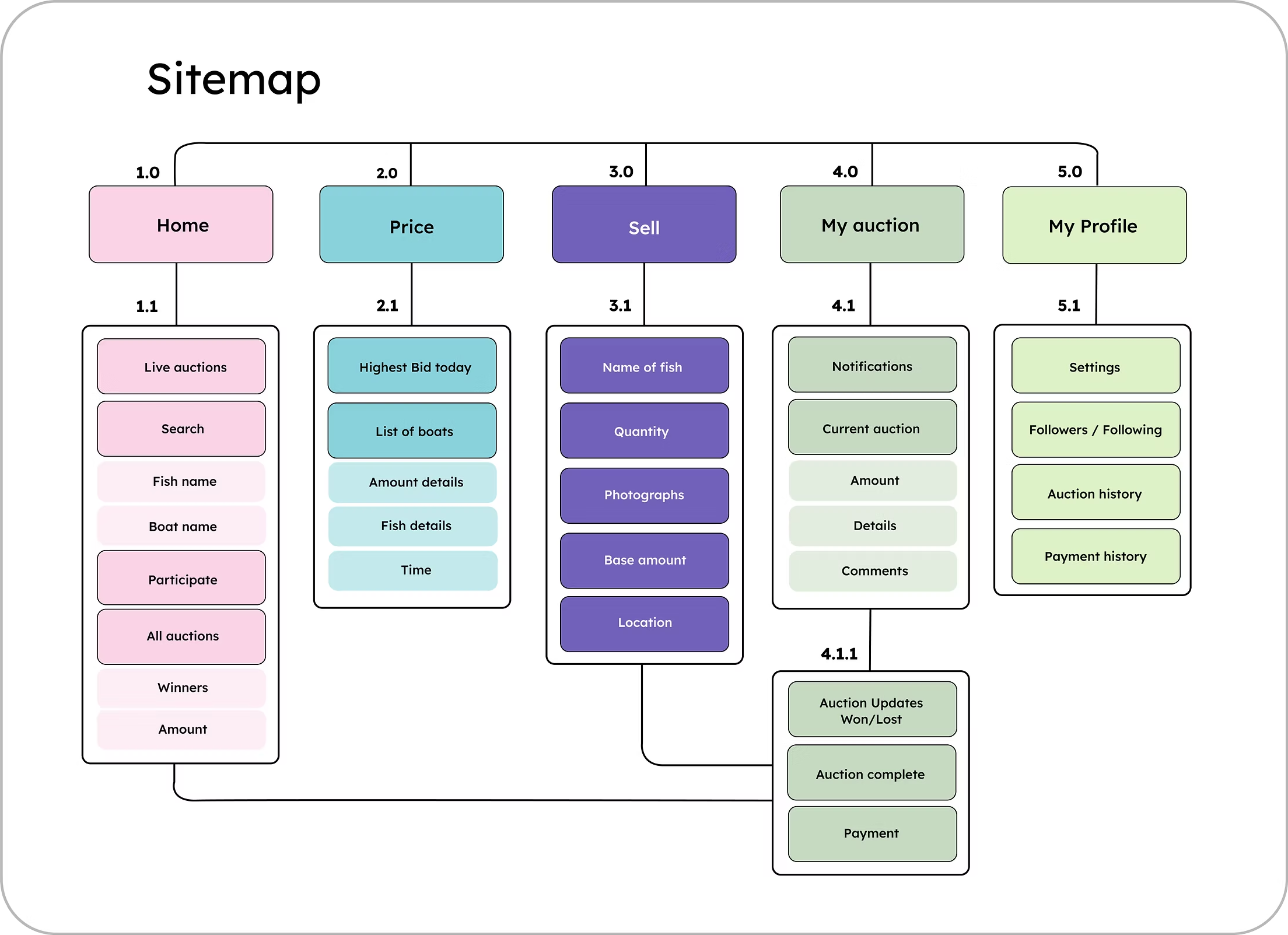
Sitemap

In order to ensure a clear structure of the app, I've created a sitemap, based on the user flows.

Sitemap After open card sort

Develop

Wireframing:

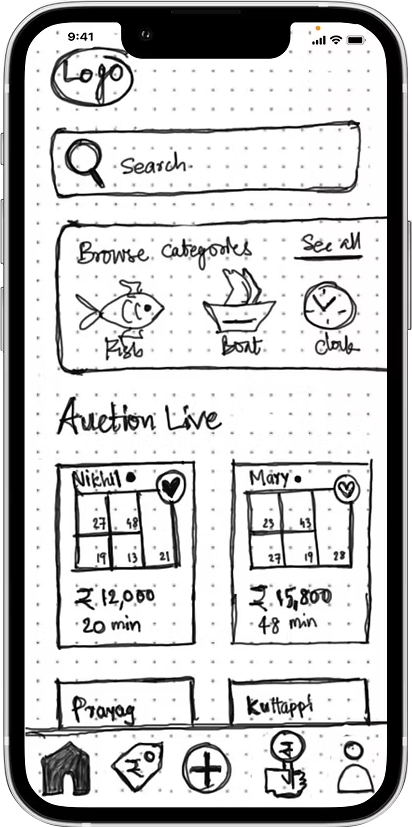
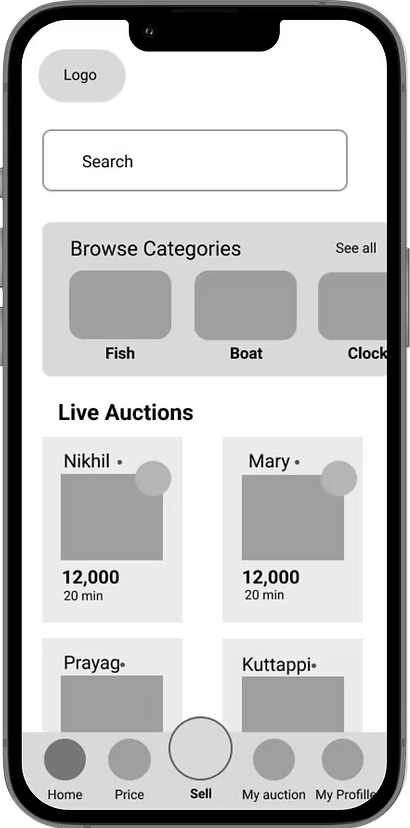
Sketches & first clickable prototype

seasaw - Wireframe 1
seasaw Wireframe 1 Design
seasaw - Wireframe 2
seasaw Wireframe 2 Design
seasaw - Wireframe 3
seasaw Wireframe 3 Design
seasaw - Wireframe 4
seasaw Wireframe 3 Design

Learnings from Usability Study:

Problems and solutions

I created interactive prototypes for the Sea-saW mobile application with a focus on three key user types. They were put to the test through remote usability research with 5 users. The flaws that were found during the usability test were analysed and ranked in order of severity. These were the main issues that required attention:

  • The design's major flaw was the confusing assortment of icons on the bottom navigation bar. Five of the users that participated in the usability tests found this solution to be confusing.
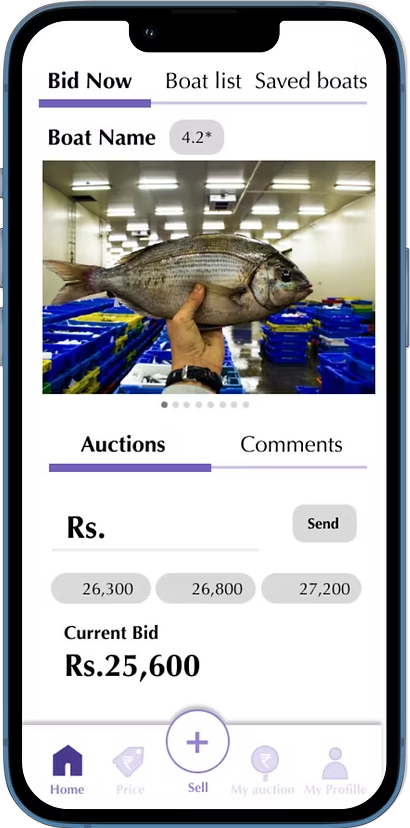
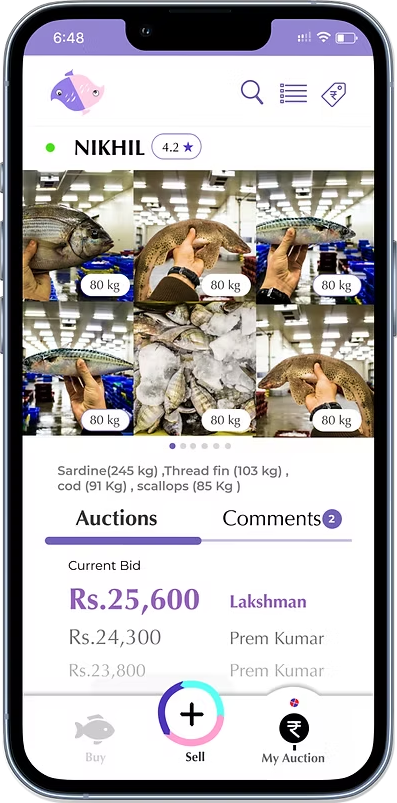
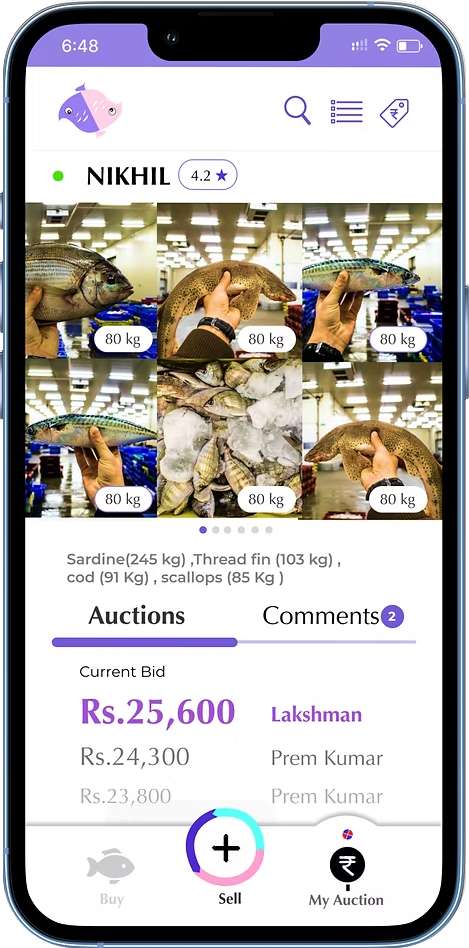
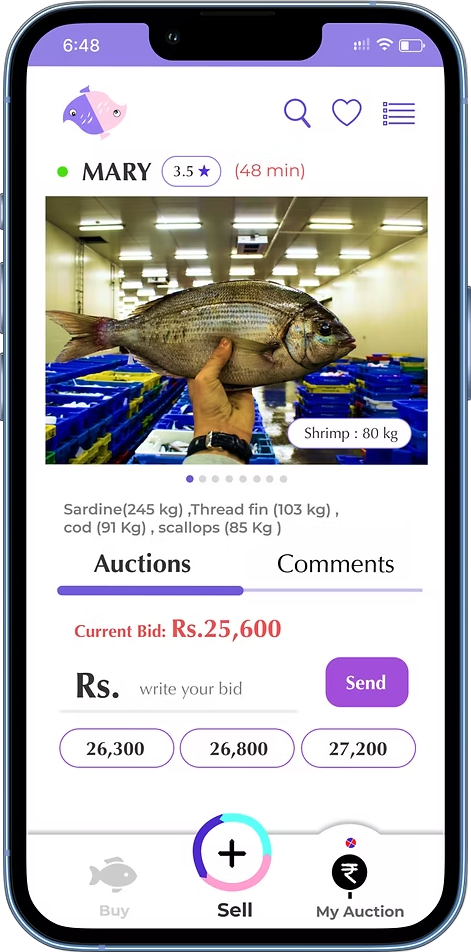
  • On the My Auction page, users have trouble finding certain important information, such as the current bid and time required to reach the boat.
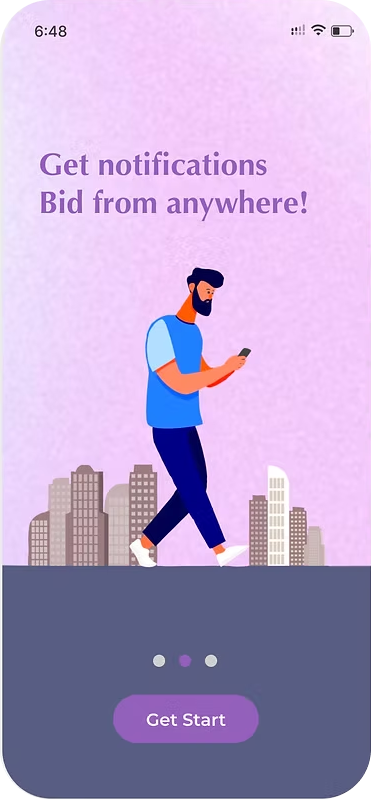
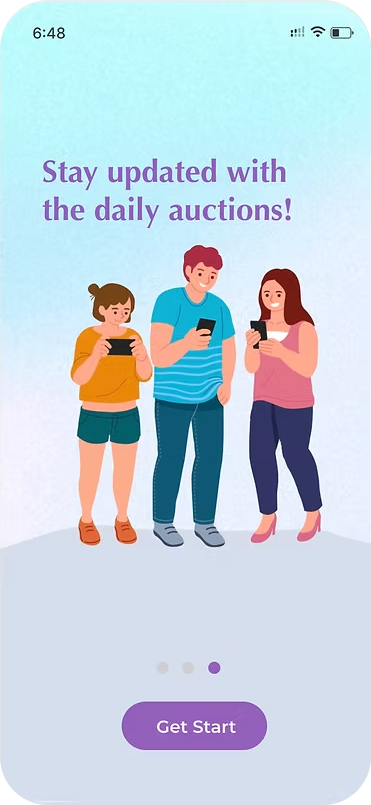
  • Lack of onboarding.

Problem

Problem screen
“I'm not entirely sure. I don't know where I need to go to view my current auction bid”
— Latheef
Down arrow

Solution

Solution screen A
Solution screen B

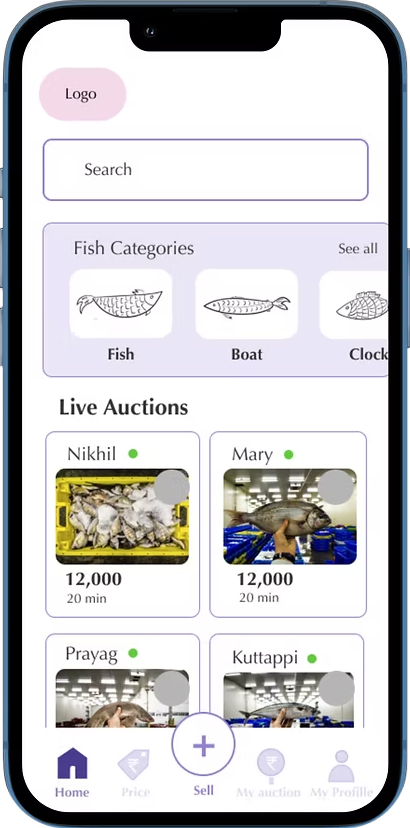
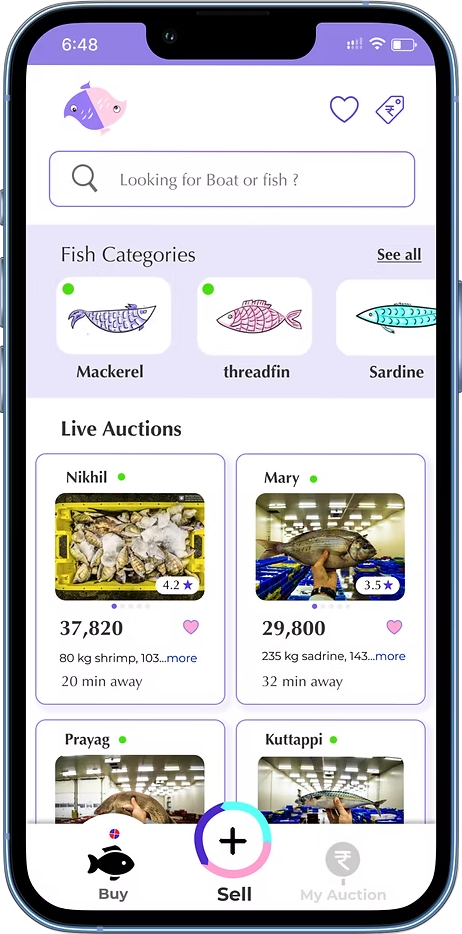
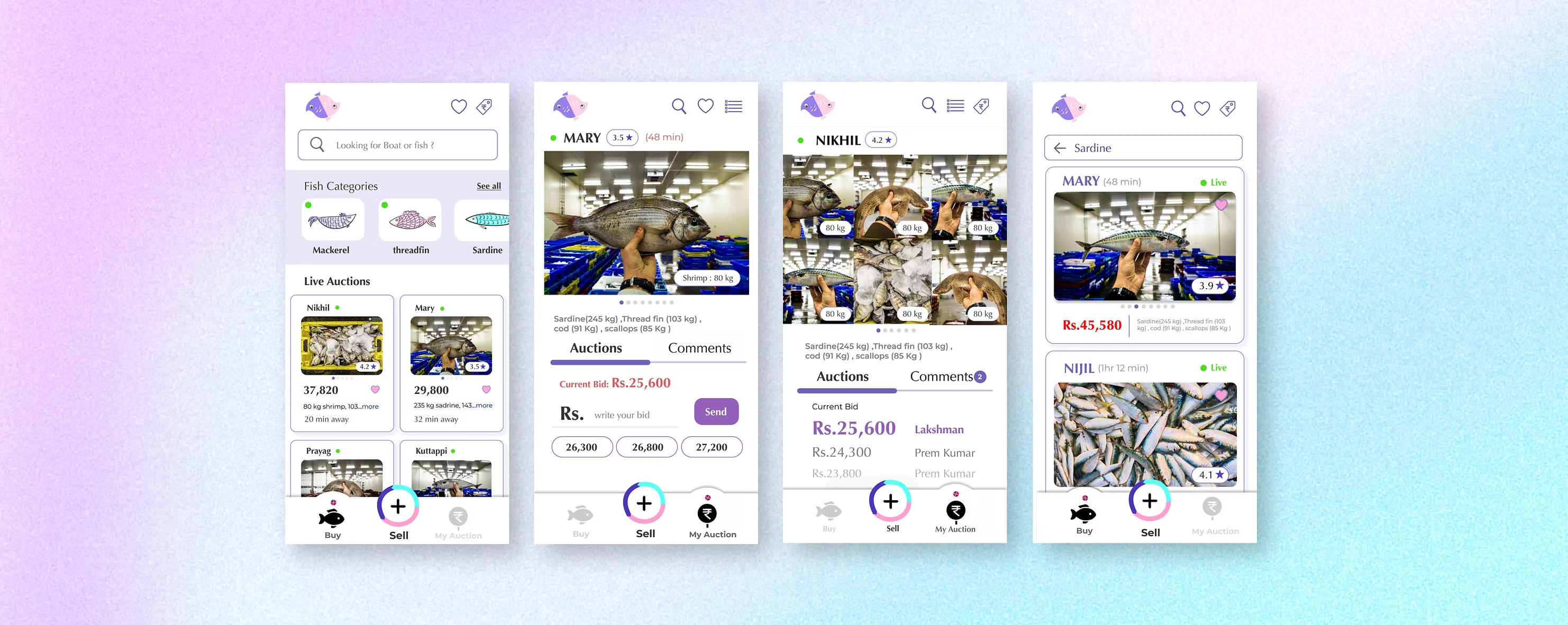
SeesaW simplified the bottom navigation to just three buttons, making it much more comprehensible, simple, and emphasised. The other two buttons are placed in the top navigation, which feels more appropriate than before.

Problem

Problem screen
“I'm not able to figure out what the current auction bid is. It is not emphasised.”
— Muneer
Down arrow

Solution

Solution screen A
Solution screen B

Information is organised using design principles and hierarchy.

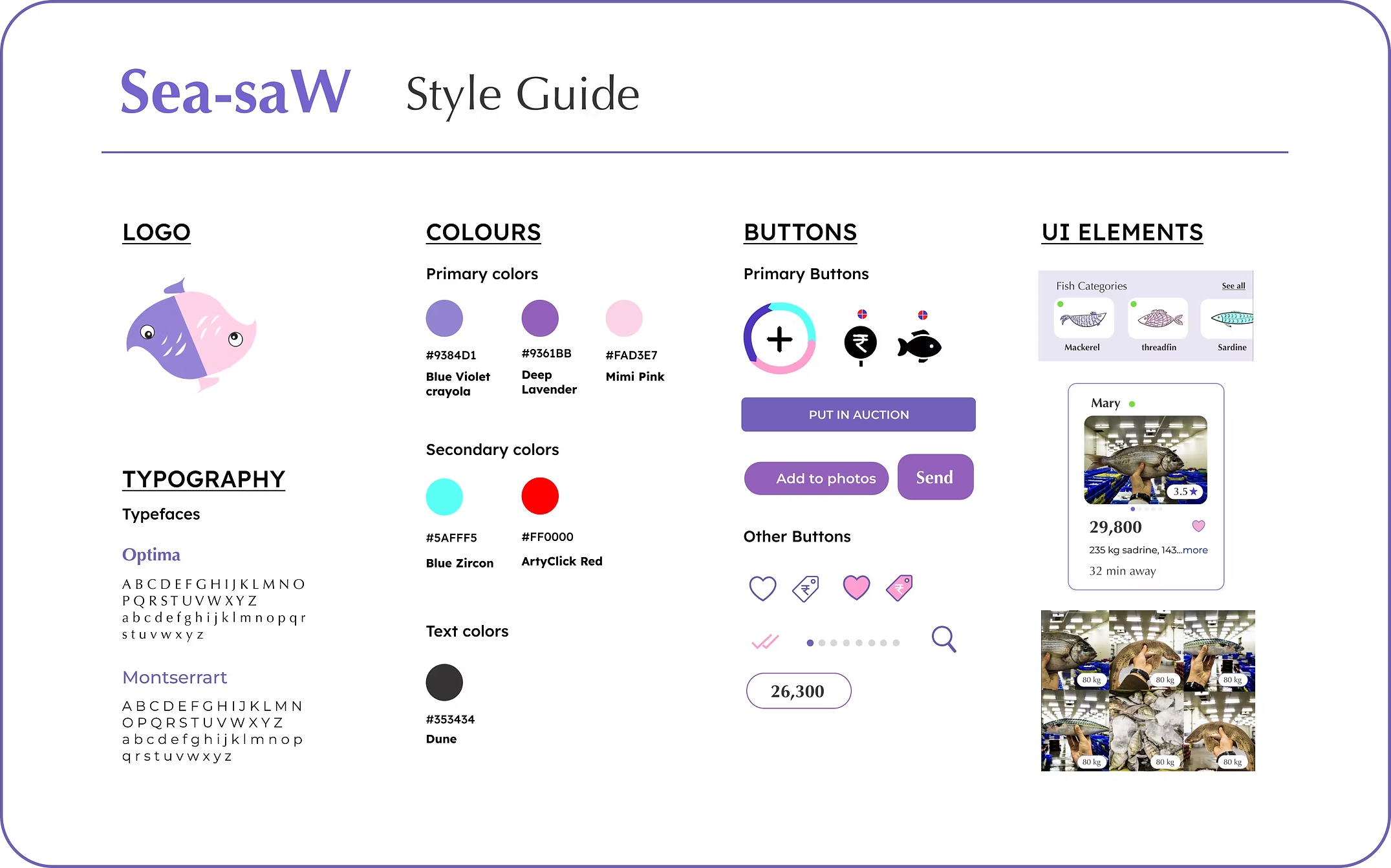
Deciding on the Look & Feel of Sea-saW

Sea-saW is both a playful and passionate reflection of life. Images and amounts are very important areas to communicate in the app for a successful auction.
Colours and typography are chosen according to the datas to be communicated and the total feel of the auction, ensuring consistency throughout the app.

Design System

Deliver

WELCOME TOseesaw Logo

An Auctioneer Where Sellers & Bidders Meet

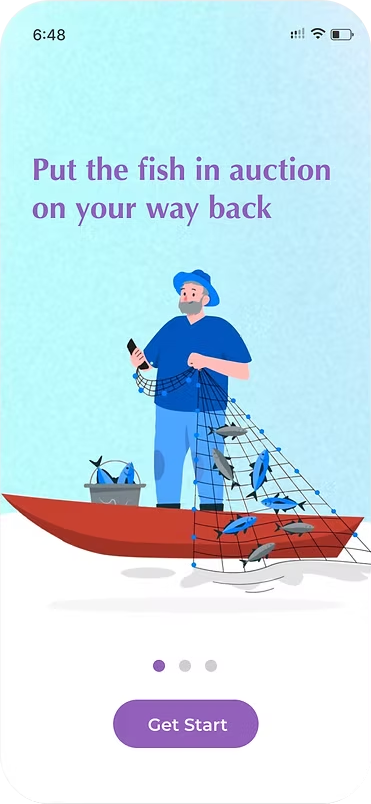
Onboarding

Get to know the app

seasaw - Onboarding 1
seasaw Onboarding 1 Design
seasaw - Onboarding 2
seasaw Onboarding 2 Design
seasaw - Onboarding 3
seasaw Onboarding 3 Design
Sea-saW mobile screen

About Sea-saW

Fast and Effortless
Fish Auctions Dive into
Sea-saW App

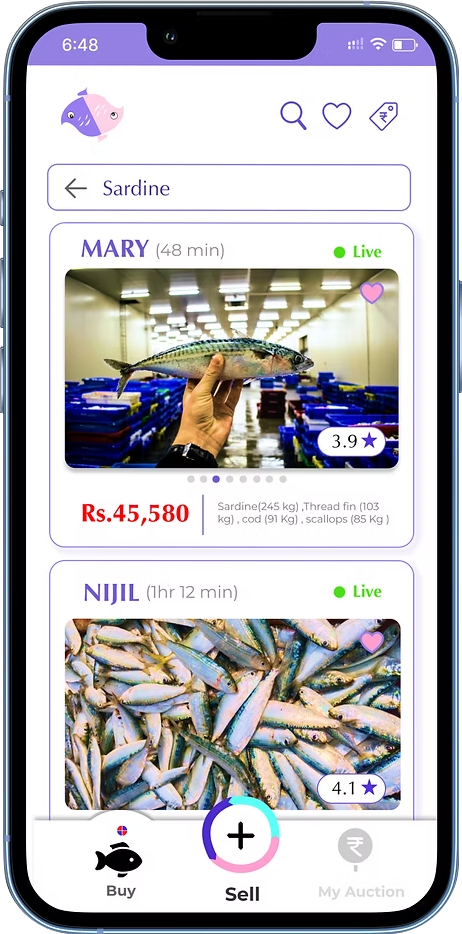
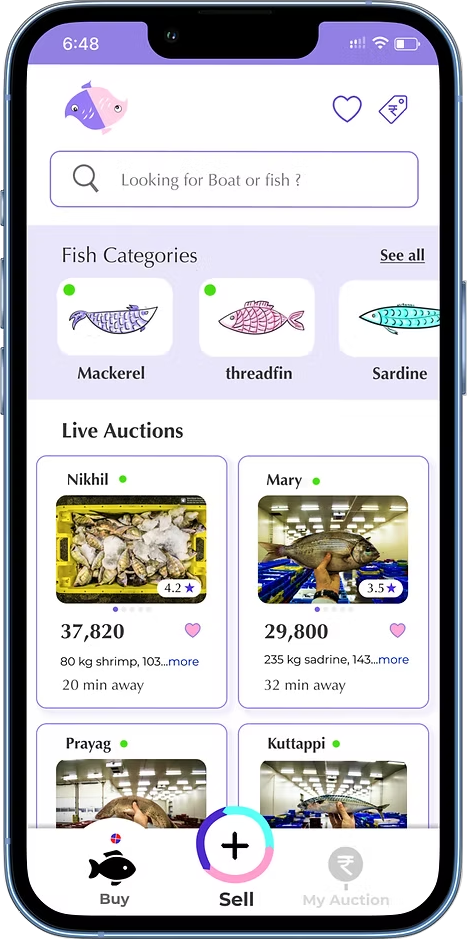
Searching

Find your auction
by searching favourite
fish and boat

Sea-saW mobile screen

Details

Discover details,
at a single glance

Bidding

Bid with ease,
seize the lead

Sea-saW mobile screen

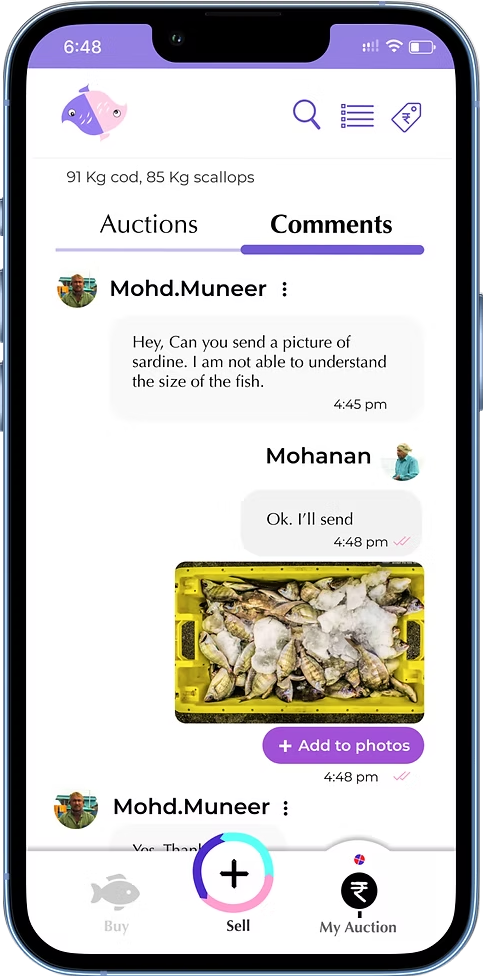
Communications

Comment Anytime,
Experience Instant Replies.

Learnings & Challenges

What were the challenges?

The fishing community is being introduced to a new mobile app. Observing how they will use the app and how it will change their daily lives interests me and challenges me. It is challenging to create a simple app for such a diverse collection of users because the fishermen and bidders who use the app belong to different age groups and have varying levels of digital device experience.

I invested a lot of time in each of the four steps (Discover, Define, Develop, and Deliver) to make an app that satisfies their needs.

Retrospective:

What I've learned.

After the usability test and user interview, I discovered how important it is to keep an eye on the difference between my assumptions and the real data.

I found that bidders frequently attend auctions by looking for their preferred saved boats. When they opened the app to view the bid rates, the majority of them went to their saved boats.

I also came to the realisation that although individuals have trouble adapting to new systems, if we provide them with a user-centred design, they will do so quickly.

Onboarding illustrations inspired from
Wepik Storyset

Download CVDownload CV